
Rear buttons and extra bumpers
Where the extra buttons are, what they do out of the box and how to change them.
Where they are
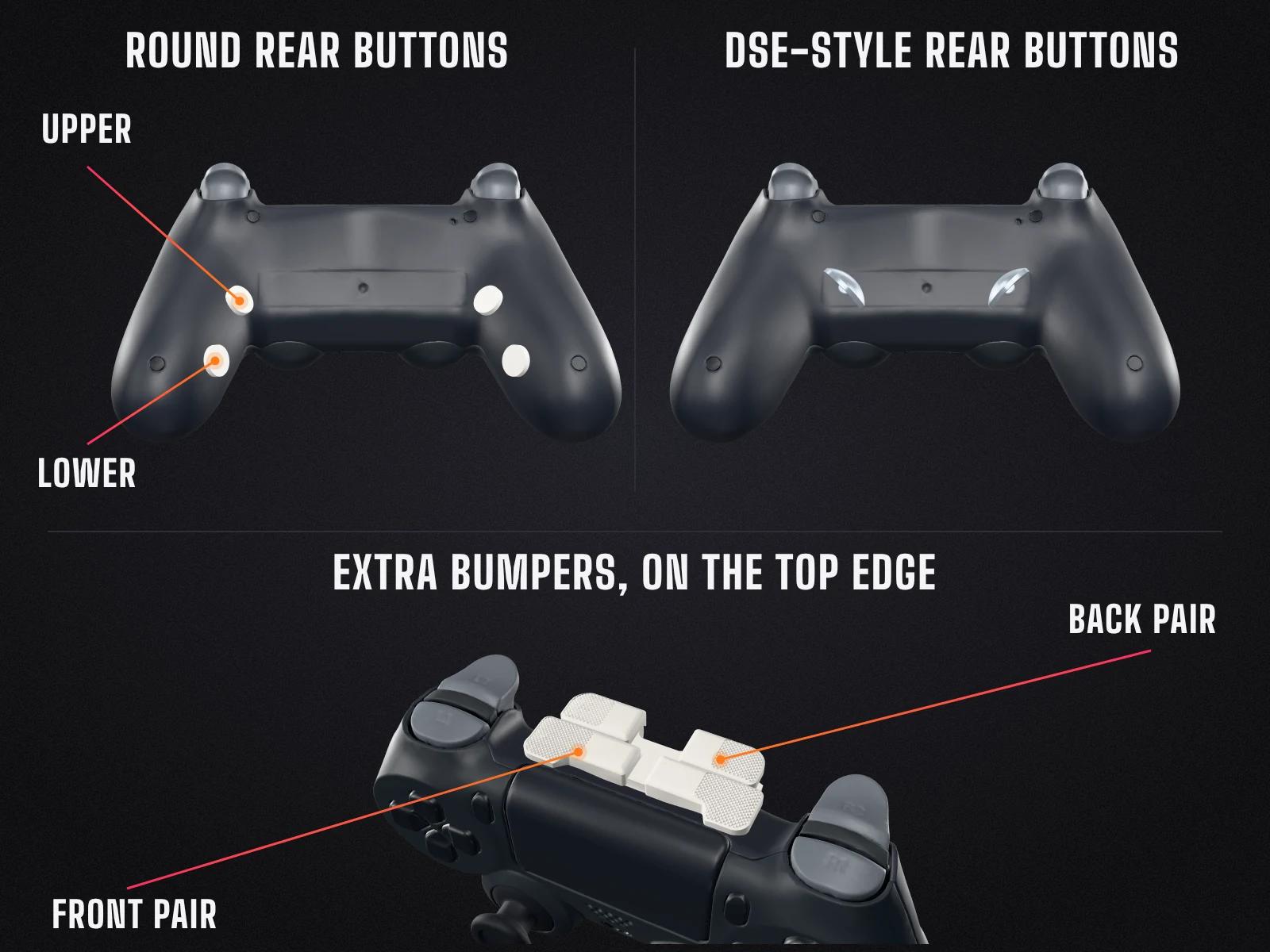
- Round rear buttons sit on the back of the grips, close to the shell.
- DSE-style rear buttons are paddles on the back: the metal paddles from the DualSense Edge's back buttons. You get both shapes, half-dome and lever. They attach magnetically, so you can swap them yourself.
- Extra bumpers sit in the middle of the top edge, between L1 and R1, where the light bar was.
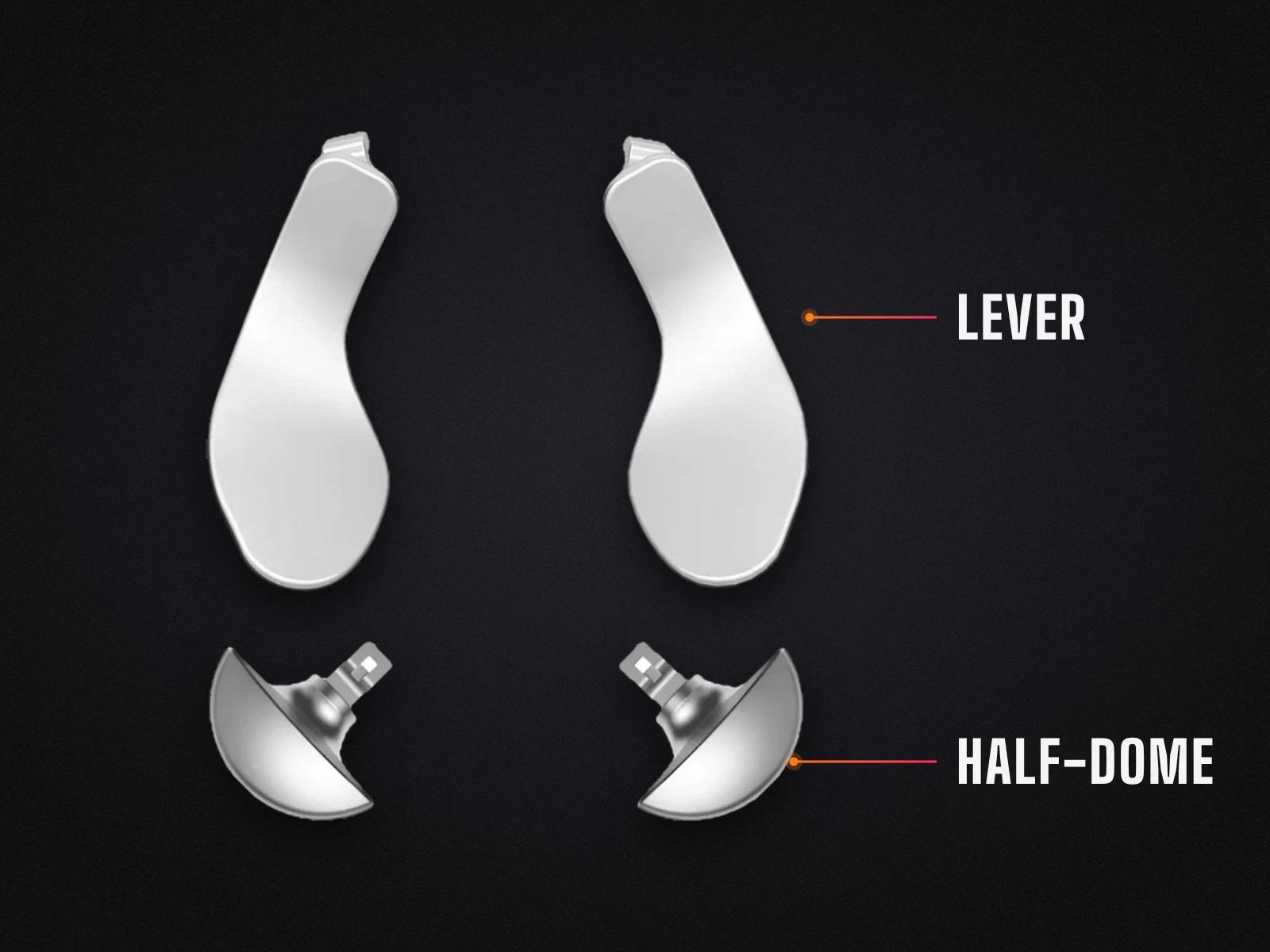
Both kinds of rear button have the same instant-click switches as our buttons and triggers.
What you can map them to
- With an 8K board, which every TankOtter Custom has, you can map them freely to any button on the controller.
- On a send-in without an 8K board, each rear button and extra bumper is wired to a face button or D-pad direction of your choice, and it stays that way. You choose which one for each button in the builder.
- The MH4-ANALOG 8K can only map them to controller buttons. The other 8K boards can also map them to keyboard keys.
- Depending on the brand, some 8K boards also support macros.
What they do out of the box
With an 8K board, they aren't mapped to anything out of the box, so you need to set them up first. On a send-in without an 8K board, they press the buttons you chose in the builder.
Changing what they do
On a send-in without an 8K board, they stay wired to the buttons you chose. With an 8K board, you change them yourself. Step-by-step instructions coming soon.
Video coming soon
Need a hand?
Send us a message with your order number and which buttons you have. Our mods page explains what each one involves: rear buttons and extra bumpers.